
 Bryan Biedenkapp
13ce833f6a
Bryan Biedenkapp
13ce833f6a
|
8 months ago | |
|---|---|---|
| configs | 9 months ago | |
| dvmconsole | 8 months ago | |
| fnecore@d4b15e118e | 8 months ago | |
| repo | 2 years ago | |
| .editorconfig | 2 years ago | |
| .gitignore | 2 years ago | |
| .gitmodules | 2 years ago | |
| LICENSE | 2 years ago | |
| README.md | 2 years ago | |
| dvmconsole.sln | 2 years ago | |
README.md
Digital Voice Modem Desktop Dispatch Console
The Digital Voice Modem Desktop Dispatch Console ("DDC"), provides a WPF desktop application that mimics or otherwise operates like a typical dispatch console, allowing DVM users to listen to multiple talkgroups on a DVM FNE from a single application.
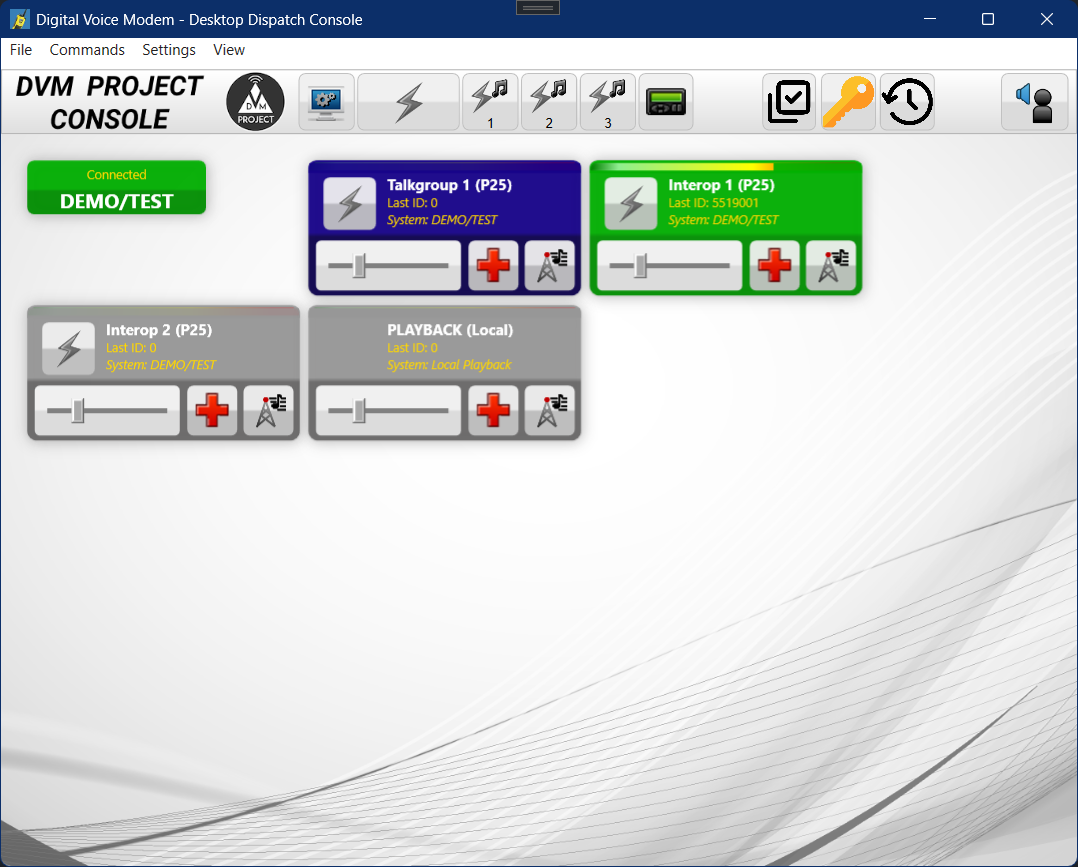
Building
This project utilizes a standard Visual Studio solution for its build system.
The DDC software requires the library dependancies below. Generally, the software attempts to be as portable as possible and as library-free as possible. A basic Visual Studio install, with .NET is usually all that is needed to compile.
Dependencies
- dvmvocoder (libvocoder); https://github.com/DVMProject/dvmvocoder
Build Instructions
- Clone the repository.
git clone --recurse-submodules https://github.com/DVMProject/dvmconsole.git - Switch into the "dvmconsole" folder.
- Open the "dvmconsole.sln" with Visual Studio.
- Select "x86" as the CPU type.
- Compile.
Please note that while, x64 CPU types are supported, it will require compiling the dvmvocoder library separately for that CPU architecture.
dvmconsole Configuration
- Create/Edit
codeplug.yml(example codeplug is provided in the configs directory). - Start
dvmconsole. - Use "Open Codeplug" to open the configuration for the console.
Project Notes
- The Desktop Dispatch Console does not support interfacing to base station or mobile radios. For a DVM-compatible console that does this please see: https://github.com/W3AXL/RadioConsole2 and https://github.com/W3AXL/rc2-dvm.
License
This project is licensed under the AGPLv3 License - see the LICENSE file for details. Use of this project is intended, for amateur and/or educational use ONLY. Any other use is at the risk of user and all commercial purposes is strictly discouraged.