
 RaspbianProyect by HP3ICC
82d3253070
RaspbianProyect by HP3ICC
82d3253070
|
3 years ago | |
|---|---|---|
| README.md | 3 years ago | |
| install.sh | 3 years ago | |
| update.sh | 3 years ago | |
README.md
FDMR+
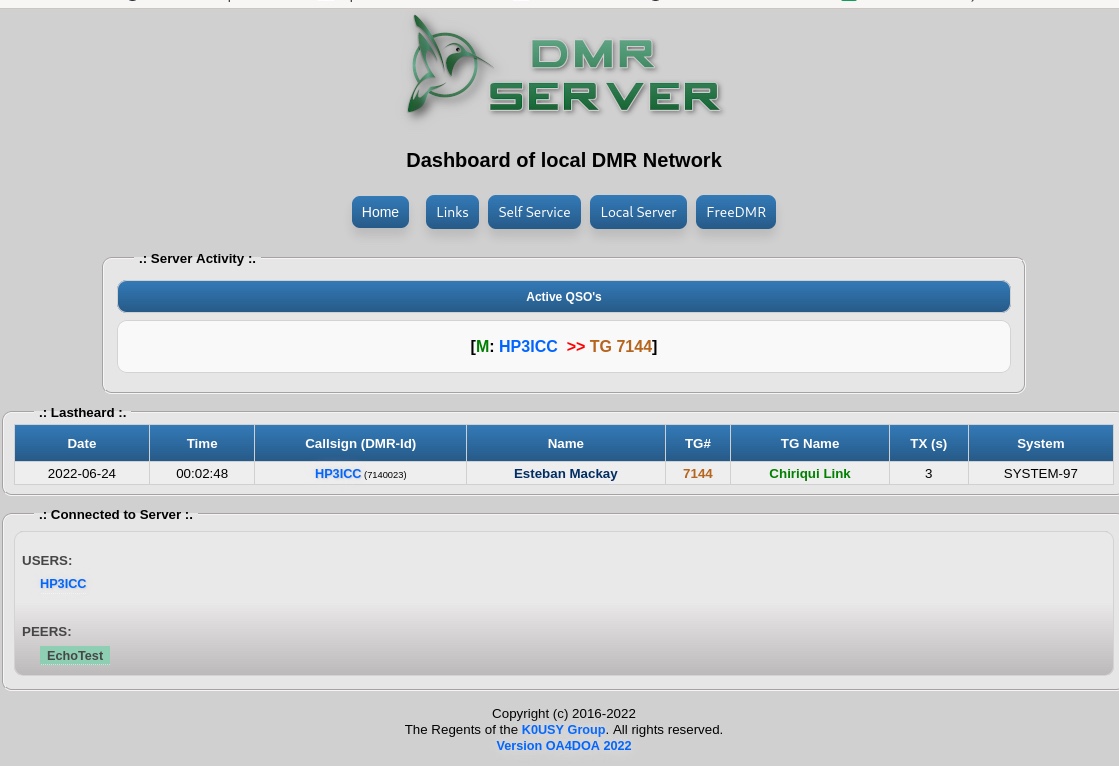
is an excerpt from the emq-TE1ws proyect, focused on new and current sysops who want to install FreeDMR easily, quickly and up-to-date.
this shell, install FreeDMR Server and FDMR-Monitor
Shell easy auto install FreeDMR Server version Self-Service without Docker, latest original gitlab hacknix version by G7RZU Simon, with Dashboard by OA4DOA, template mods by WP3JM James & N6DOZ Rudy, Self-Service mods with Dial-TG by IU2NAF Diego and menu by HP3ICC.
Important note ,
- Compatibility
You can use this script on raspberry , linux pc , server , virtual machine or vps with debian 11 x86 or x64
This script contains binaries created by different developers , many designed to be used on debian 11 or higher , bad news for ubuntu users , some of the included applications may only work correctly on debian 11
- Support
Unofficial script to install Freedmr Server with Dashboard self-service, if you require support from the official version of the developer , refer to the original developer script :
https://gitlab.hacknix.net/hacknix/FreeDMR/-/wikis/Installing-using-Docker-(recommended!)
FreeDMR Server original version gitlab FreeDMR by G7RZU hacknix Simon.
Pre-Requirements
need have curl and sudo installed
Install
into your ssh terminal copy and paste the following link :
apt-get update
apt-get install curl sudo -y

bash -c "$(curl -fsSL https://gitlab.com/hp3icc/fdmr/-/raw/main/install.sh)"
Menu
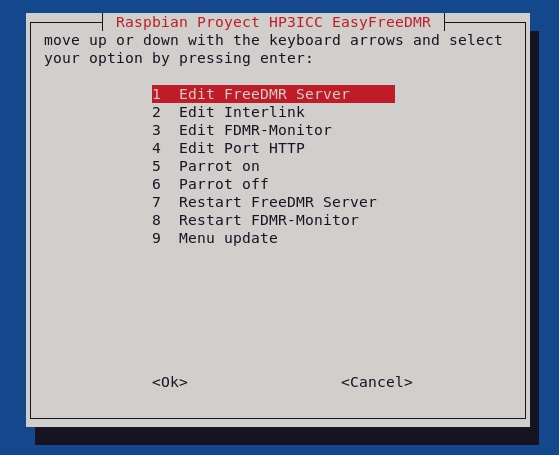
At the end of the installation your freedmr server will be installed and working, a menu will be displayed that will make it easier for you to edit, restart or update your server and dashboard to future versions.
to use the options menu, just type "menu-fdmr" without the quotes in your ssh terminal or console.
Self-Service

The self-service feature, added by fellow OA4DOA Christian, allows each user to add or remove one or more static tgs from the ease of a graphical environment from the server's Dashboard.
Thanks to colleague IU2NAF Diego and the FreeDMR Italia team, they add Dial-TG compatibility and option to customize the language of the announcement voice or use CW.
Self-Service database
The Self-Service function uses a local database, this database does not store private information, it only stores the callsign, id and list of static tgs, created by the same user, the password is the callsign that the hotspot has and The password is decided by the user from his hotspot in the options line, without sending a previous request, filling out a ticket, sending an email or asking someone else for authorization. The user can configure the same password for all their hotspots, repeaters or connections, or they can configure an independent password for each connected equipment. They can only use Self-Service if they have previously configured their password in the options line and their equipment or application. is connected to the server
Self-Service username and password
The user will always be indicative that he has his hotspot or application connected to the server.
the password is chosen by the user and placed in the options line as follows: " PASS=password_of user_selfservice"
Password example " abc123 " :
Options=PASS=abc123


The password must contain at least 6 characters between letters and numbers, you cannot use your callsign as a password.
Server startup
To integrate your server to the freedmr network, you must contact the telegram group
Location files config :
- FreeDMR Server:
/opt/FreeDMR/config/FreeDMR.cfg
- FreeDMR Rules:
/opt/FreeDMR/config/FreeDMR.cfg
- FDMR-Monitor:
/opt/FDMR-Monitor/fdmr-mon.cfg
Systemctl Services :
- Freedmr:
freedmr.service
- FreeDMR Proxy:
proxy.service
- FreeDMR Parrot:
fdmrparrot.service
- FDMR-Monitor:
fdmr_mon.service
- Web Server
http.server-fdmr.service
Dashboard Files
/var/www/fdmr/